

30–90 Day Bookings: Vancouver Multi Platform Listing Strategy

Yes, listing your property across multiple platforms increases occupancy and reduces revenue risk, but only if calendars sync reliably and pricing adjusts by channel. The safe path is real-time API sync or a channel manager, not manual calendar updates. Most hosts see incremental bookings within 30 to 90 days of adding a channel. If you’d rather skip the setup work, Nestoria Estates runs this entire process for owners hands-off.
TL;DR:
Using a channel manager with real-time API sync reduces double bookings and is essential during peak season, unlike delays associated with iCal polling.
Roll out new listing channels sequentially, starting with your strongest platform, to build reviews and minimize configuration errors over rushing multiple additions.
Build a comprehensive, reusable master listing with optimized photos, descriptions, and rules to ensure consistency and save time across all platforms.
Adjust pricing based on a calculated base rate, adding platform-specific margins, and avoid undercutting OTA prices on your direct booking site with perks instead.
Implement a unified messaging system, track key performance metrics over 30 to 90 days, and keep backup plans ready to mitigate platform outages or delistings.
Table of Contents
How Do You Keep Operations Running Smoothly Across Channels?
How Do You Manage Guest Communication and Reviews Consistently?
What Legal and Compliance Rules Apply to Multi-Platform Listings?
What’s Your Backup Plan if a Platform Goes Down or Delists You?
What I’ve Learned Advising Vancouver Hosts on Multi-Platform Rollouts
How Nestoria Estates Handles Multi-Platform Distribution for You
What’s the Best Platform Mix and Rollout Order?
Don’t add every platform at once. A staged rollout gives you time to build reviews on each channel and catch configuration mistakes before they cost you a booking.
Start with the platform where you already have traction, usually Airbnb, since it carries your review history and search ranking. Once that listing is stable, add Vrbo. Vrbo tends to attract families and longer stays, a different traveler segment than Airbnb’s typical guest. From there, layer in Booking.com, which pulls international travelers and last-minute bookers that Airbnb’s algorithm doesn’t always surface. This staged approach mirrors what Crestcove recommends: Airbnb and Vrbo as your base, Booking.com next, then direct booking and Google Vacation Rentals once you have the infrastructure to support them.
Hold off on Google Vacation Rentals and a direct-booking site until you have channel-manager tooling or a booking engine in place. Adding those without proper backend support usually creates more manual work than revenue.
Phase 1: Airbnb (or your current best performer) as the anchor listing
Phase 2: Vrbo for family and extended-stay demand
Phase 3: Booking.com for international and last-minute reach
Phase 4: Direct booking site and Google Vacation Rentals once automation is ready
Pro Tip: Wait until a new listing has built some review momentum before adding the next channel. A thin review count on a brand-new Airbnb or Vrbo profile drags down your search placement more than skipping a platform entirely.
Sequential deployment like this reduces configuration errors and gives each new channel room to ramp up before you pile on more complexity.
How Do You Build a Master Listing You Can Reuse?
Build one master listing first, then adapt it. Rewriting your description, amenities, and photos from scratch for every OTA wastes time and almost guarantees inconsistencies that confuse guests and hurt your ranking.
Here’s the checklist to build once and reuse everywhere:
Photo set and order. Lead with your best exterior or living room shot, then bedrooms, bathrooms, kitchen, and any standout amenity (view, hot tub, parking). Aim for 20 to 25 photos minimum.
Canonical headline and summary. Write one strong headline and a 1 to 2 sentence summary you can lightly adapt in tone per platform (Airbnb favors a warmer voice, Booking.com a more transactional one).
Full descriptive copy. Draft the complete property description once, covering layout, neighborhood, and standout features, then trim or extend per platform’s character limits.
Amenity checklist. List everything, including things guests forget to ask about, like parking type, laundry access, and stair counts for accessibility.
Rules and contact protocol. Store your cancellation policy, house rules, and guest communication procedures in one document so every platform reflects the same terms.
Pro Tip: Keep your master listing document in a shared file (Google Doc or spreadsheet) so you or your manager can update one field, like a new Wi-Fi password, and know exactly where it needs to propagate.
A guide to how vacation rental platforms differ in audience and format is worth reviewing before you finalize per-channel wording.
Should You Use iCal or a Channel Manager to Sync Calendars?
Use API-based sync or a channel manager if you’re serious about avoiding double bookings. iCal works, but it has a structural flaw: it polls for updates rather than syncing instantly, which leaves a lag window.
That lag matters more than most hosts realize. Guesty’s research on multi-site listings shows iCal polling delays can run 15 to 30 minutes, meaning a guest could book the same dates on two platforms in that window before either calendar catches up. For a single-property host getting occasional overlapping inquiries, that’s a rare event. For an active listing during peak season, it’s a real risk.
API-based channel managers sync in near real time and are the more reliable approach if you’re managing more than one platform actively. If you’re sticking with iCal for cost reasons, mitigate the risk with a few habits:
Set a minimum 1-night buffer between bookings on iCal-synced calendars
Manually check all calendars once daily during high-demand periods
Block a test date range on a new channel and confirm it disappears on every other platform within the expected window
Statistic to know: that 15 to 30 minute iCal lag is the single biggest reason channel managers exist. When you connect a new channel, run a bidirectional test block first, confirm it syncs correctly in both directions, then let live traffic through only after it checks out.
How Should You Price Across Different Platforms?
Calculate one base rate, then adjust it per channel to protect your net revenue. Start with your true costs (cleaning, utilities, platform fees, mortgage or opportunity cost) plus your target margin, then layer in seasonal adjustments for demand swings.
From there, each platform needs its own markup to offset commission differences. A common approach is setting a small markup on the higher-commission platform so your net payout lands close to what you’d earn elsewhere.
Base rate: costs + margin + seasonal multiplier
Airbnb rate: base rate, minimal adjustment given lower host fees
Booking.com rate: base rate plus a markup sized to cover the higher commission
Direct booking rate: same nightly rate as OTAs (to respect parity terms), with added value like free late checkout or a welcome basket instead of a lower posted price
Direct-site incentives need to stay within OTA parity rules. Most platforms prohibit undercutting your own OTA listing on price, so the smarter move is offering non-rate perks on your direct site, not a lower number.
Test any pricing change and give it 30 to 90 days before judging results. Shorter windows don’t give the algorithm or repeat search traffic enough time to reflect the adjustment.
How Do You Keep Operations Running Smoothly Across Channels?
Multi-platform listings multiply your messaging inboxes, calendars, and turnover logistics unless you build systems for it early.
A unified inbox or channel-manager messaging tool keeps response times fast and templates consistent, which matters because slow replies hurt your ranking on every platform, not just one. Channel management software that centralizes calendars, rates, and guest messages tends to pay for itself once you’re running three or more active channels or bookings reach meaningful volume.
Build in a cleaning buffer of at least 3 to 4 hours between checkout and next check-in
Automate check-in instructions and house manual delivery, but keep a human escalation path for real problems using best practices outlined in the Hotel Check-In Process Workflow to streamline your operations efficiently
Confirm your cleaner’s schedule against all platform calendars weekly, not just when a new booking comes in
Track turnover conflicts in one place, ideally the same tool handling your booking workflow
If you’re spending more than a few hours a week on coordination, or your monthly revenue justifies a management fee, that’s usually the point to hand operations to a manager or a full-service provider like Nestoria Estates.
Which Metrics Tell You a Channel Is Working?
Track bookings by channel, occupancy rate, average daily rate (ADR), RevPAR, and net revenue after platform fees. Those five numbers tell you more than any single “reviews” or “views” metric on its own.
Give each new channel a fair evaluation window. In the first 0 to 30 days, expect thin data, mostly listing visibility and early inquiries. Between 30 and 90 days, momentum builds and you’ll start seeing real booking patterns. Hosts adding a second channel often see a 15% to 20% revenue lift in that 60 to 90 day window as the new listing’s search ranking catches up.
Bookings by channel (weekly count)
Occupancy rate and ADR per platform
Net revenue after fees, not gross booking value
Direct booking inquiries captured through compliant guest contact methods
If a channel shows no traction past 90 days despite an optimized listing, pause further investment there rather than adding a fourth platform on top of a struggling third.
How Do You Manage Guest Communication and Reviews Consistently?
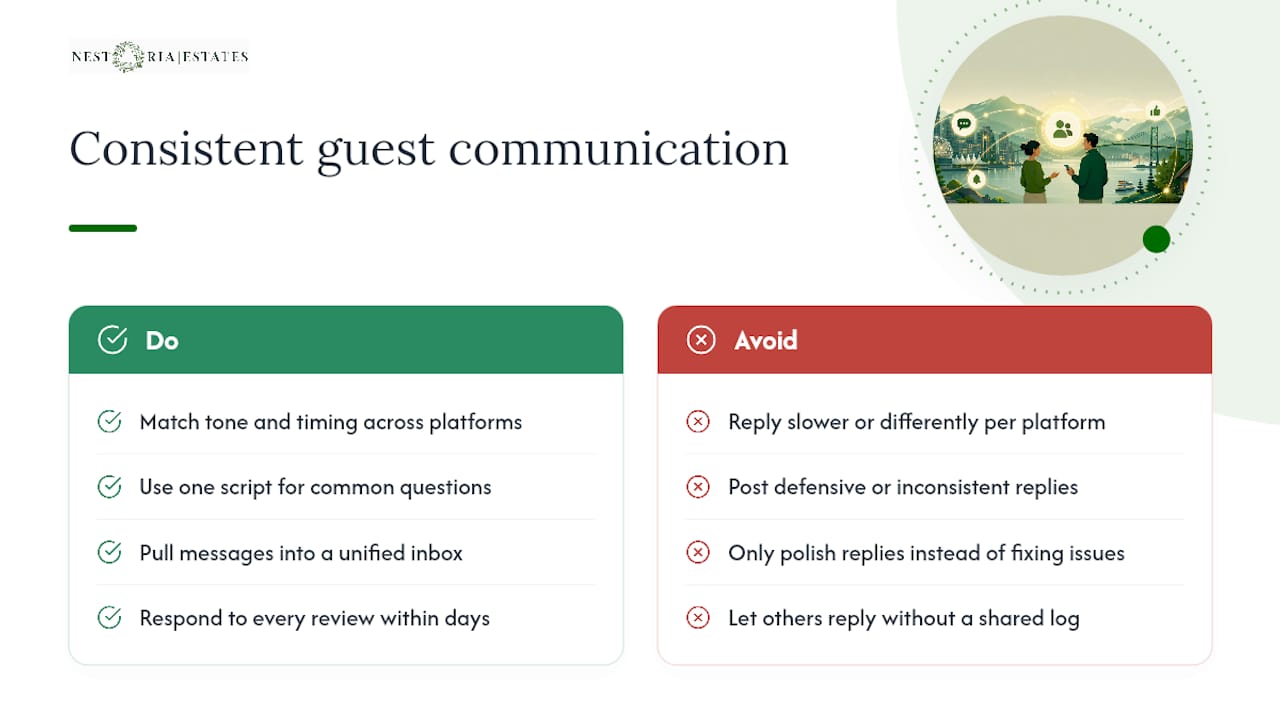
Guests judge you the same way regardless of which platform they booked through, so your tone, response time, and follow-up need to match everywhere. A guest who gets a warm, fast reply on Airbnb but a delayed, generic one on Booking.com will notice, and it shows up in reviews.
Build one communication script for common questions (check-in, parking, Wi-Fi, checkout) and adapt the wording slightly per platform without changing the substance. Response time matters more than most hosts think: platforms weight fast replies in their search algorithms, so a unified inbox that pulls every platform’s messages into one place protects your ranking across the board, not just on one channel.
Reviews deserve the same consistency. Respond to every review, positive or negative, within a few days, using a similar tone across platforms. A defensive or inconsistent reply on one platform can follow you into search results elsewhere, since prospective guests increasingly check a host’s reputation across multiple sites before booking. If a guest raises a legitimate complaint, fix the underlying issue (a broken lock, a late cleaner) rather than just writing a polished response, because the same problem showing up in two more reviews across two more platforms does more damage than one bad review ever could.
Keep a shared log of guest issues and resolutions if you’re working with a co-host or cleaner, so nobody responds to a review without knowing what actually happened.
What Legal and Compliance Rules Apply to Multi-Platform Listings?
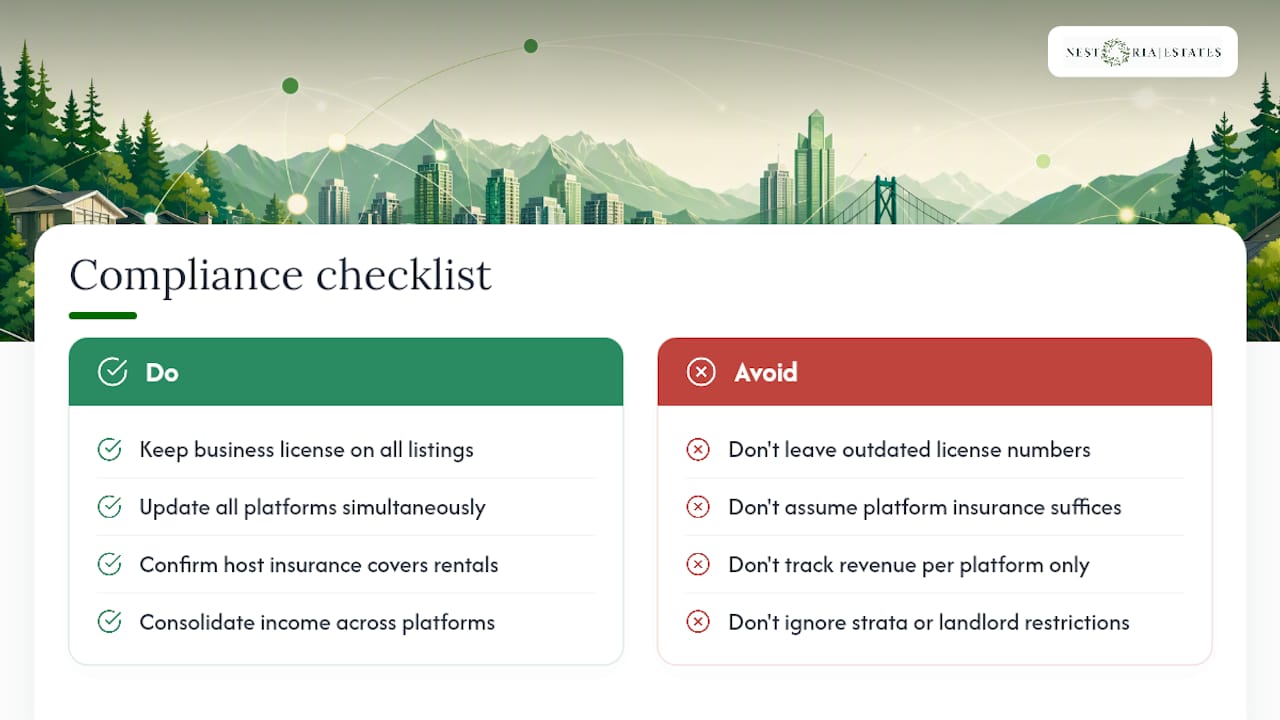
Vancouver hosts need a valid short-term rental business license from the City of Vancouver, and that license, along with your principal-residence requirement, applies no matter how many platforms you list on. Multi-platform distribution doesn’t multiply your compliance obligations, but it does multiply the number of places where an outdated permit number or license status could surface incorrectly.
Keep your business license number, permit details, and any strata or landlord restrictions consistent across every listing, and update all platforms simultaneously when anything changes. Some jurisdictions require the license number to appear directly in the listing itself, so an outdated or missing number on even one platform can trigger a takedown notice on that channel specifically.
Insurance is another area to check per platform. Standard homeowner policies typically exclude short-term rental activity, so confirm your host protection coverage, whether it’s a platform’s built-in host guarantee or a separate short-term rental policy, actually applies regardless of which platform generated the booking. A guest injury claim doesn’t care which OTA sent them your way.
Tax obligations follow the income, not the platform. GST/HST registration thresholds and reporting apply to your total rental revenue across all channels combined, so keep a consolidated income record rather than tracking each platform separately when it’s time to file.
What’s Your Backup Plan if a Platform Goes Down or Delists You?
Platform outages and account suspensions happen, and the hosts who recover fastest are the ones who never depended on a single channel to begin with.
Keep a documented backup process: if Airbnb has an outage or briefly flags your account for review, your other channels (Vrbo, Booking.com) should already be live and accepting bookings, not sitting dormant waiting to be activated. This is the practical case for diversifying distribution in the first place: it’s not just about reach, it’s insurance against a single point of failure.
Save your master listing content, photos, and guest communication templates outside any single platform’s dashboard, in a shared drive or document you control. If a listing gets removed or a platform changes its interface overnight, you shouldn’t be reconstructing your description or amenity list from memory.
Keep a running list of your top repeat guests and their contact information, gathered through compliant means, so a platform disruption doesn’t sever your relationship with people who’d happily book direct next time. And if you ever get delisted unfairly, most platforms have an appeals process. Respond quickly, document your compliance history, and don’t let a dispute drag on while your calendar sits empty.
What I’ve Learned Advising Vancouver Hosts on Multi-Platform Rollouts
Most Vancouver hosts I talk to want to jump straight to four platforms at once. That’s backward. The sequence that actually works is boring: get Airbnb humming, add Vrbo, give it 60 to 90 days, then bring in Booking.com. Rushing the order just means you’re troubleshooting three calendars at once instead of one.
Vancouver adds its own wrinkles. Cleaning windows are tighter here during peak cruise season and summer weekends, so your turnover buffer needs padding most generic guides don’t mention. Guest expectations also run higher than a lot of markets, since travelers coming through this city often compare you against downtown hotels, not just other short-term rentals.
One owner we’ve worked with through Nestoria Estates saw exactly this pattern: slow, staged growth beat an aggressive four-platform launch every time. Multi-platform distribution rewards patience over speed.
— Kamran
How Nestoria Estates Handles Multi-Platform Distribution for You
Nestoria Estates is the alternative to doing this rollout yourself, for owners who’d rather have someone execute the staged sequence, calendar sync, and pricing math correctly on the first try.
Nestoria Estates manages the entire multi-platform operation on your behalf: channel setup and sequencing across Airbnb, Vrbo, and Booking.com, real-time calendar sync through a channel manager to prevent double bookings, dynamic pricing adjusted by channel, unified guest messaging, cleaning coordination, and transparent owner reporting so you can see exactly how each platform performs. You stay hands-off while the operational details, the kind that eat up hours every week, get handled by people who do this across Canada and the United States daily.
If you want to see what this could look like for your property, request a free revenue projection through the Nestoria Estates services page and get a realistic estimate before committing to anything.
Sources
For platform-specific setup guidance, review Booking.com’s guide to managing listings across platforms and Guesty’s breakdown of calendar sync risks. For a hands-off management option, see Nestoria Estates’ services.
FAQ
Is a Multi Platform Listing Strategy Worth It for a Single Property?
Yes, even one property benefits from being on two or three platforms since it reduces dependency on a single algorithm and reaches different traveler segments, though the operational load needs channel-manager support to stay manageable.
How Long Before I See Results From Adding a New Channel?
Most hosts see incremental bookings within 30 to 90 days, with a 15% to 20% revenue increase commonly reported after adding a second channel like Vrbo to an Airbnb-only listing.
Should I Use iCal or a Channel Manager to Sync Calendars?
A channel manager with API-based sync is safer since iCal polling can lag 15 to 30 minutes, creating a real, if small, double-booking risk during high-demand periods.
Can I Offer Lower Prices on My Direct Booking Site?
No, most OTAs require rate parity, so direct-site incentives should be non-rate perks like free late checkout rather than a lower posted nightly rate.
What’s the Easiest Way to Handle Multi-Platform Management Without Doing It Myself?
A full-service manager like Nestoria Estates can handle channel sequencing, calendar sync, pricing, and guest messaging across all platforms, letting you stay hands-off while still capturing the occupancy benefits of multi-platform distribution.
Recommended
Comments