
Seven Steps That Actually Prevent Airbnb Parties
- info67421305
- 2 days ago
- 9 min read
Screen every guest before you confirm, lock down clear house rules, cap occupancy in your booking settings, disclose any monitoring devices, install decibel and occupancy sensors, line up a local contact who can respond fast, and require a security deposit or damage protection. That is the whole playbook, and most hosts who get burned skipped at least three of these seven steps.
Here is the one-line version you can act on right now:
Screen guests and their message history before accepting
Set explicit house rules banning events and gatherings
Cap occupancy and require minimum-night stays on weekends
Disclose any noise or occupancy monitoring in your listing
Install a decibel-only noise monitor and an occupancy sensor
Assign a local co-host or on-call contact for fast response
Require a security deposit or enroll in damage protection
Do three things in the next hour: update your listing description to state your occupancy limit and no-events policy, send a short pre-arrival message asking about the purpose of the stay, and turn on a monitoring device if you already own one. The rest of this guide walks through each layer in more detail.
Key Takeaways
Preventing Airbnb parties comes down to layering screening, clear rules, disclosed monitoring, and a fast local response so problems get caught before they become damage claims.
Point | Details |
Screen before you confirm | Review guest profiles, ask about trip purpose, and watch for last-minute weekend bookings at max occupancy. |
Lock down house rules | State occupancy limits and a no-events policy explicitly, and raise minimum stays on high-risk dates. |
Disclose every device | List noise and occupancy monitors in your house manual and never record audio or place devices in private rooms. |
Preserve evidence fast | Save timestamped messages, photos, and sensor logs to support cancellations and Airbnb claims. |
Check bylaws and insurance | Confirm condo and municipal rules plus short-term rental insurance coverage before enforcing any policy. |
Consider professional management | Nestoria Estates pairs local on-call response with screening and documented monitoring for Vancouver owners. |
Table of Contents
How to Prevent Airbnb Parties Using Airbnb’s Own Policy
Airbnb already gives you the tools. Its party and events policy lets you cancel a reservation outright when you have evidence someone intends to throw an unauthorized party, and the platform’s own screening systems flag high-risk bookings using signals like last-minute weekend timing, one-way trips, and local addresses booking a listing in their own city.
According to Airbnb’s host resources, party reports dropped significantly after the global party ban took effect.
Evidence that holds up includes guest messages referencing a “get-together,” social media event links tied to your address, a sudden request to add guests after booking, or a pattern of short, high-occupancy bookings on weekends. Airbnb’s community disturbance policy also covers excessive noise, trash, and parking complaints as grounds for enforcement, up to account removal for repeat offenders.
Pro Tip: Screenshot every suspicious message the moment you see it, and note the exact time. Airbnb’s review team moves faster when your evidence includes timestamps, not just your recollection of a chat.
Set House Rules and Booking Controls That Deter Party Seekers
Occupancy caps, minimum-night rules, and Instant Book restrictions do more to prevent party rentals than any single gadget. Set your maximum occupancy explicitly in the listing (not just in the description), enforce a two-night minimum on weekends, add quiet hours from 10 p.m. to 8 a.m., and consider a 25-plus age minimum if your market allows it.
A short, direct house rules block works better than a long legal disclaimer:
No parties, events, or gatherings of any kind
Maximum occupancy strictly enforced at check-in
Quiet hours 10 p.m. to 8 a.m., no exceptions
Additional guests beyond the booking will result in immediate cancellation
For high-risk dates, holidays, long weekends, and local festival periods, raise your minimum stay to three or four nights and turn off Instant Book so you can vet the request manually. That single switch filters out a large share of one-night party bookings before they ever hit your calendar.
Screening Guests Before They Ever Get a Key
A five-minute review of a guest’s profile catches most red flags before check-in. Look at their reviews, join date, and verification status. A brand-new account booking a one-night weekend stay for a large group is the classic party pattern.
Send a standard pre-arrival message asking the purpose of the trip, how many people are actually staying, and whether they need any local recommendations. Genuine travelers answer naturally. Evasive or delayed responses are worth a second look.
Profile has no reviews and was created recently
Booking is one night, Friday or Saturday, for the maximum group size
Guest avoids specifics when asked about the trip’s purpose
Local address booking your listing in the same city
Guest count changes suspiciously right after booking confirms
If two or more of these line up, you have grounds to ask clarifying questions, add a verification step, or cancel with evidence under Airbnb’s policy before the reservation locks in.
Monitoring Technology and the Privacy Rules That Come With It
Decibel-only noise monitors and device-count occupancy sensors are the most effective tech layer for party prevention because they detect a gathering without recording a single word of conversation. Devices like Minut and NoiseAware measure sound levels and trigger an alert once a sustained threshold is crossed, while occupancy sensors estimate how many phones and devices are connected to your Wi-Fi and flag an unexpected spike. An exterior camera, like a Ring doorbell at the entrance, adds a layer of visibility on arrivals and headcounts without pointing into any living space.
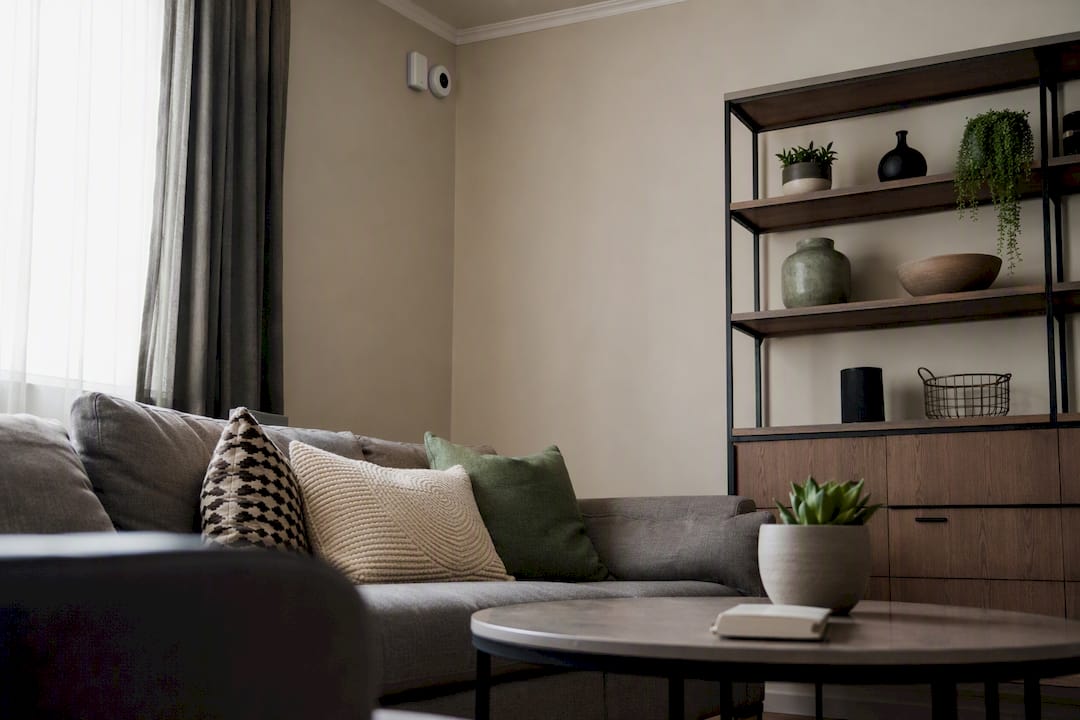
None of this works if you skip disclosure. Every monitoring device needs to be listed in your house rules and house manual, placed only in common areas like entryways or living rooms, and never set up to record audio. Guests have a reasonable expectation of privacy in bedrooms and bathrooms, and platform rules treat undisclosed monitoring as a violation on your end, not the guest’s.
Set your decibel threshold around normal conversation-plus-music levels for your specific space, and route alerts to a phone number that gets checked, not an inbox that sits for a day. A polite automated message at the first threshold breach solves most situations before anyone needs to show up in person.
Pro Tip: Word your disclosure like this: “This home uses noise-level and occupancy monitoring in common areas for guest safety and neighbor relations. No audio is recorded.” It reassures respectful guests while making clear you’re watching.
Operational Routines That Keep Small Problems Small
Do an in-person or video check-in so you confirm the guest matches the booking name.
Tell your immediate neighbors you host short-term rentals and leave them a direct contact number.
Keep a vetted local co-host or on-call responder who can be at the property within 30 to 45 minutes.
Log every check-in, complaint, and response in one place so patterns become visible over time.
A short note to neighbors goes a long way: introduce yourself, explain that you monitor noise and occupancy, and give them a number to text directly if anything feels off, rather than waiting to call a noise line at midnight. Your co-host needs property access, your escalation contacts, and a habit of documenting whatever they see with a photo and a timestamp.
What to Do the Moment a Party Starts
Check for immediate danger first. If anyone’s safety is at risk, call police before doing anything else.
Send a calm, direct written warning telling guests the gathering violates house rules and must end now.
Call your local co-host or on-call contact to head to the property.
If the situation doesn’t de-escalate, tell guests they must leave and that the reservation is being canceled.
Document everything: timestamped photos, noise-monitor logs, and the full message thread.
Report the incident to Airbnb with your evidence and file a damage claim if needed.
Your evidence file should include:
Screenshots of the guest conversation with timestamps
Noise or occupancy sensor logs showing the spike
Photos of the property during and after
Contact information for any neighbor who witnessed the disturbance
Keep your message to neighbors short and factual: thank them for flagging it, confirm you’re handling it, and let them know the guest has been asked to leave.
Financial Protections Every Host Should Have in Place
Layer your protection instead of relying on one safety net. Airbnb’s damage protection covers a range of incidents when you file with documentation, a security deposit setting adds a second buffer, and host-initiated claims give you a formal path to reimbursement.
Enable Airbnb’s damage protection and understand what it excludes
Set a security deposit amount appropriate to your property’s value
Confirm your homeowner or condo insurance actually covers short-term rental use, since many standard policies exclude it entirely
Check your building’s bylaws and your city’s municipal noise and guest management rules before you install any device or enforce an occupancy cap, since bylaws are often stricter than Airbnb’s own policy
Never assume a standard homeowner policy covers party damage. Call your insurer and ask specifically about short-term rental endorsements before you need one. If you’re renting a Vancouver condo, review local bylaws on Airbnb hosting since strata rules can override anything you set up yourself.
When It’s Time to Bring in a Professional Manager
Consider handing off management once you’re hosting remotely, running more than one property, or spending more time chasing down noise complaints than collecting rent. A manager with local staff and established screening habits closes the gap that causes most party incidents in the first place: nobody nearby to respond in real time.
Professional management adds value in specific ways:
A local on-call team that can reach the property in under an hour
Coordinated neighbor outreach so complaints get resolved before they escalate to bylaw officers
Support filing insurance and damage claims with proper documentation
Vetted, disclosure-compliant device deployment instead of guesswork
Guest screening built into the booking workflow rather than handled ad hoc
Nestoria Estates applies these exact practices across its managed properties in Vancouver, pairing local co-hosting with documented screening and monitoring workflows so owners aren’t the ones fielding a 2 a.m. noise complaint. You can see how the screening and communication workflow works before deciding whether self-management still makes sense for your situation.
Pro Tip: If you’ve had even one serious incident in the past year, that alone is a strong signal your current setup needs either better systems or a hand-off to someone with them already built.
Prevention Beats Reaction, Every Time
Every party incident I’ve looked into follows the same shape: a host relying on hope instead of a system. Damage repairs, lost weekend bookings, and strata fines cost far more than a decibel monitor or a proper screening habit ever would. The hosts who never deal with parties aren’t lucky. They built friction into the booking process before a bad guest ever got a key.
How Nestoria Estates Handles Party Risk for Vancouver Owners
Nestoria Estates gives Vancouver owners something a solo host can’t easily replicate: a local team that’s already awake and ten minutes away when a noise alert fires at midnight. Rather than juggling screening, disclosure-compliant monitoring, and neighbor outreach on your own, Nestoria Estates runs all of it as one coordinated system, backed by documented response protocols for damage claims and bylaw compliance.
That means fewer surprise cancellations, faster on-the-ground response, and cleaner documentation if something does go wrong. If you want a clear picture of what hands-off, party-resistant management actually looks like for your property, check the Nestoria Estates services page and request a free revenue and operations review to see where your current setup has gaps.
Sources
FAQ
What does the 80/20 rule mean for Airbnb hosts?
It generally refers to the idea that a small share of bookings, often last-minute weekend stays, cause a disproportionate share of party-related problems, which is why screening those bookings closely matters more than screening every reservation equally.
Are Airbnb hosts allowed to host parties or events?
No. Airbnb’s party and events policy globally bans parties and events at listings, and hosts who allow them risk enforcement action against their own account.
Can a host cancel a reservation for partying?
Yes, hosts can cancel with evidence such as guest messages, suspicious booking patterns, or social media event links under Airbnb’s cancellation policy, and Airbnb’s own screening systems may flag or block high-risk reservations automatically.
Will Airbnb know if a party happens?
Airbnb’s automated screening looks at booking patterns before check-in, but it won’t know about an in-progress party unless a host, neighbor, or guest reports it with supporting evidence like photos or message logs.
Recommended
Comments