
Vacation Rental Booking Workflow: A 2026 Guide
TL;DR:
A vacation rental booking workflow is an automated process managing availability, payments, guest communication, access, and turnover logistics seamlessly. Most Vancouver hosts rely on partial systems that still require daily manual oversight, risking errors and lost revenue. Fully automating the entire guest journey with a connected system maximizes efficiency and improves guest satisfaction.
A vacation rental booking workflow is the end-to-end process that manages availability, payment, guest communication, property access, and turnover logistics through connected, automated systems. For Vancouver Airbnb owners juggling multiple listings across Airbnb, VRBO, and direct booking channels, a broken or manual workflow costs real money. Full automation from booking to checkout saves 20-plus hours per week and measurably improves guest satisfaction compared to partial automation. That gap between a patched-together process and a true system is exactly what this guide addresses.
What are the essential steps in a vacation rental booking workflow?
The short-term rental process follows a predictable sequence, and every step is a candidate for automation. Understanding each phase helps you identify where manual effort is costing you time and where errors are most likely to occur.
Step 1: Availability check and calendar blocking
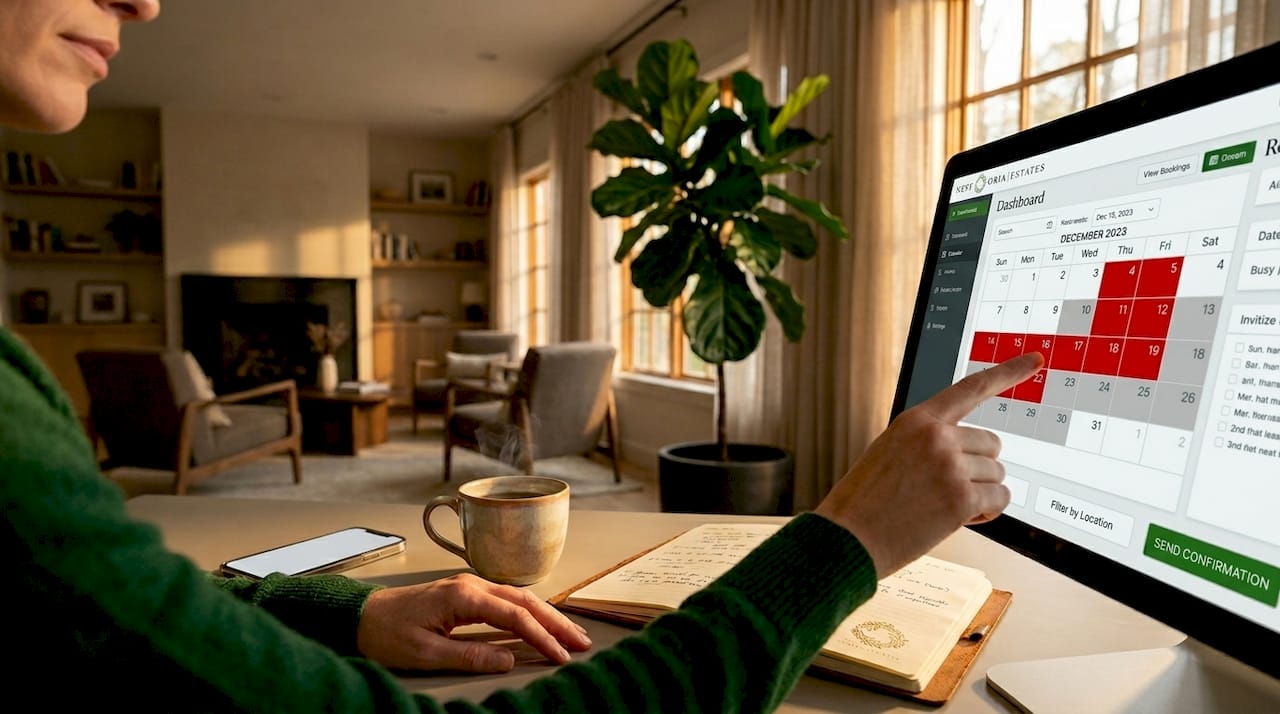
Before a booking is confirmed, your system must verify that the requested dates are open across every platform you list on. The most common failure point here is overbooking, which happens when calendar updates lag between channels. Generate calendar blocks per individual night rather than a single date range after payment confirmation. This prevents a one-night overbooking bug that channel manager logic can miss when processing overlapping requests.
Step 2: Booking creation and payment processing
Once availability is confirmed, the booking system for rentals creates a reservation record and presents the guest with a full pricing breakdown. Showing the nightly rate plus cleaning fees and platform service fees before payment reduces booking abandonment and sets accurate expectations. Payment processing typically runs through Stripe or Stripe Connect for split-commission payouts between host and platform. After payment clears, the system confirms the reservation, blocks the calendar, and triggers notifications to both guest and host.
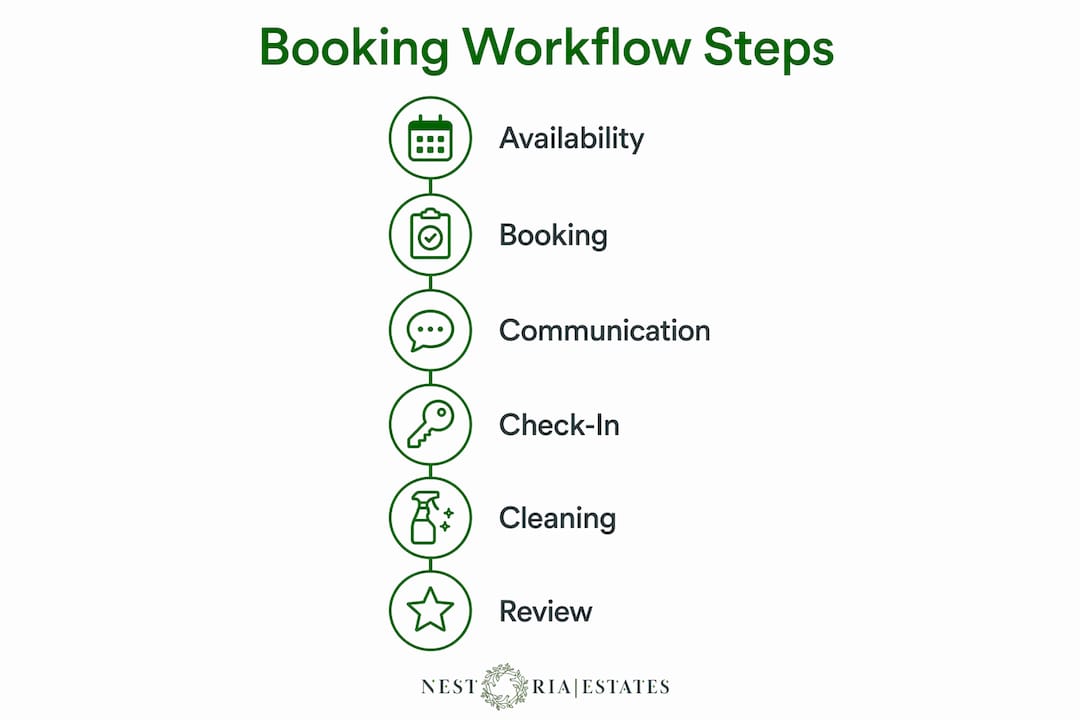
Step 3: Pre-arrival guest communication
Confirmation messages go out immediately after booking. A second automated message sequence begins 48 to 72 hours before check-in, delivering house rules, parking instructions, and the self-check-in process. This is where a property management system (PMS) like Hostfully, Guesty, or Lodgify earns its place. Each platform lets you build message templates triggered by booking events, so nothing falls through the cracks during a busy weekend turnover.
Step 4: Smart lock access and self-check-in
Smart lock automation generates unique codes per booking that activate at check-in time and expire at checkout. Guests receive their code automatically before arrival, eliminating the need for key handoffs or late-night calls. This step alone removes one of the most friction-heavy parts of the guest experience.
Step 5: Cleaning and turnover
Checkout triggers an automated cleaning assignment sent to your housekeeping team with a task list, supply checklist, and photo-verification requirements. The cleaner marks the job complete, uploads photos, and the PMS updates the property status to ready.
Step 6: Post-stay review request
Within two hours of checkout, an automated message thanks the guest and requests a review. This timing matters. Guests are most likely to leave a review while the experience is still fresh, and a consistent review cadence directly affects your Airbnb search ranking in Vancouver’s competitive market.
Which tools and technologies optimize your booking system for rentals?
The right technology stack turns a manual, error-prone process into one that runs without daily intervention. Here is how the core tools fit together for Vancouver Airbnb hosts.
The PMS as your system of record. Treat the PMS as the central hub and layer channel management, messaging, and housekeeping automation on top. Guesty, Hostfully, and Lodgify are the three most widely used options among professional short-term rental operators in North America. Each connects to Airbnb, VRBO, and Booking.com while maintaining a single unified reservation record.
Channel management. Guesty integrates with 60-plus booking sites to synchronize availability and rates in real time, preventing double bookings and the refunds and negative reviews that follow. Without a channel manager, every manual calendar update is a potential error.
Payment processing. Stripe and Stripe Connect handle secure payment collection and split-commission payouts. For hosts running direct booking sites alongside Airbnb, Stripe’s webhook integration confirms bookings and triggers downstream workflow steps automatically.
Smart lock integration. August, Schlage Encode, and Yale smart locks all offer PMS integrations that tie code generation directly to booking records. The code is created, scheduled, delivered, and revoked without any manual input.
Automated messaging and AI assistants. Tools like Hospitable and Smartbnb handle templated guest messaging. More advanced setups use AI-enhanced assistants to answer guest FAQs in real time, reducing the volume of direct messages that require host attention.
Tool | Primary function | Best for |
Guesty | PMS and channel management | Hosts with 3-plus listings |
Hostfully | PMS with digital guidebooks | Guest communication focus |
Hospitable | Automated messaging | Single-property hosts |
August Smart Lock | Access code automation | Self-check-in setup |
Stripe Connect | Payment and payout processing | Direct booking sites |
Pro Tip: Link your smart lock directly to your PMS booking records and deliver access codes through the same automated messaging workflow you use for pre-arrival instructions. This keeps code delivery synchronized with any schedule changes and eliminates a separate manual step.
How to design an automated workflow for self-check-in and guest communication
Self-check-in is the single most impactful automation for Vancouver Airbnb owners managing properties remotely or across multiple units. Here is how to build it correctly.
Connect your smart lock to your PMS. August, Yale, and Schlage all offer direct integrations with Guesty and Hostfully. The PMS pulls booking dates and generates a unique code for each reservation automatically.
Set code activation and expiration windows. Code activation should align with your check-in time, typically 3:00 PM, and expiration should trigger at checkout, typically 11:00 AM. Build in a 15-minute buffer on each end to account for early arrivals and late departures without creating security gaps.
Deliver codes through your automated pre-arrival message. Schedule this message 24 hours before check-in. Include the code, step-by-step entry instructions, and a link to your digital guidebook. Linking code delivery to your PMS booking record keeps everything synchronized if a guest modifies their reservation dates.
Use AI-enhanced messaging for real-time guest support. Tools like Hospitable can answer common questions about parking, WiFi, and appliances without host involvement. For late check-in coordination, automated messages can trigger if a guest has not confirmed arrival by a set time.
Audit your code logs weekly. Every code generation, activation, and revocation event should be logged. This creates an audit trail for security incidents and confirms that no codes remain active after checkout.
Manual smart lock code management takes 5 to 10 minutes per booking and introduces security risks at scale. For a host managing five properties with an average of 15 bookings per month each, that is over 12 hours of avoidable manual work every month.
Pro Tip: Build a fallback message that triggers automatically if a guest reports a lock issue within 30 minutes of their check-in time. Include a backup entry method and your emergency contact number. This single automation prevents the majority of late-night host calls.
What are best practices for cleaning and turnover automation in vacation rentals?
Turnover is where most vacation rental operations break down under pressure. A missed clean or a late-ready notification costs you a five-star review. Automation removes the dependency on manual coordination between host, cleaner, and guest.
Trigger cleaning assignments from booking events, not manual messages. When a checkout is confirmed in your PMS, the system should automatically notify your cleaning team with the property address, checkout time, and next check-in time. Tools like Properly and TurnoverBnB integrate directly with Guesty and Hostfully to handle this.
Use photo-proof checklists for every turnover. Require cleaners to upload photos of key areas: bathrooms, kitchen counters, bed linens, and the front entrance. This creates a visual record that protects you in guest disputes and maintains consistent quality standards.
Photo-proof cleaning checklists should include a rapid QA review window of approximately 30 minutes after task completion to catch missed items before the next guest arrives. A 30-minute window gives you time to send a cleaner back for a quick fix without delaying check-in.
Send automated notifications via WhatsApp or SMS. Most professional cleaning teams prefer WhatsApp for task updates. Platforms like TurnoverBnB support WhatsApp notifications natively, reducing the chance that a cleaning assignment goes unread.
Feed cleaning status back into your PMS. When the cleaner marks a job complete, your PMS should update the property status automatically. This prevents you from manually tracking whether a unit is ready and allows you to confirm early check-in requests with confidence.
Automation step | Tool example | Outcome |
Checkout triggers cleaning job | TurnoverBnB, Properly | No manual assignment needed |
Photo checklist submission | Properly | Visual QA record per turnover |
WhatsApp/SMS notification | TurnoverBnB | Faster cleaner response time |
Status update to PMS | Guesty integration | Real-time property readiness |
Simulating concurrent booking and cleaning workflows starting 90 days before peak season helps identify handoff gaps before they cause failures under heavy demand. Vancouver’s summer and ski-season peaks are predictable. Testing your workflow before July or February is not optional if you want to protect your reviews.
Key takeaways
A fully automated vacation rental booking workflow, built on a PMS as the system of record with channel management, smart lock access, and cleaning automation layered on top, is the most reliable way to scale short-term rental operations without increasing manual effort.
Point | Details |
PMS is the foundation | All booking data, messaging, and automation should flow from one central system of record. |
Channel management prevents double bookings | Real-time sync across Airbnb, VRBO, and Booking.com eliminates the most costly operational error. |
Smart lock automation scales access control | Unique codes tied to booking dates remove manual key handoffs and security risks at any portfolio size. |
Cleaning automation protects your reviews | Photo-proof checklists with a 30-minute QA window catch missed tasks before guests arrive. |
End-to-end automation beats partial fixes | Automating only check-in messaging while leaving cleaning and reviews manual still leaves significant time and quality gaps. |
Why most Vancouver hosts are still leaving automation on the table
I have worked with enough Vancouver Airbnb owners to recognize a pattern. Most hosts automate one or two steps, usually check-in messaging, and then assume they have a workflow. They do not. What they have is a partially connected set of tools that still requires daily manual oversight to function.
The real shift happens when you treat your PMS as the single source of truth and let every downstream system subscribe to booking events from it. Cleaning assignments, lock codes, guest messages, and review requests should all trigger from the same reservation record. When they do not, you end up with timing mismatches, duplicate messages, and cleaners showing up to units that are still occupied.
The second mistake I see constantly is underestimating the cleaning workflow. Hosts spend hours building beautiful pre-arrival message sequences and then send a text to their cleaner manually after every checkout. That single gap creates more guest complaints than any other part of the process.
Vancouver’s short-term rental market is competitive enough that operational errors show up directly in your search ranking. A missed review request, a late-ready notification, or a lock code that does not work at 10:00 PM on a Friday does not just frustrate a guest. It costs you a five-star review and, over time, your position in Airbnb search results. The hosts who consistently outperform in this market are not the ones with the nicest properties. They are the ones with the tightest systems.
— Kamran
How Nestoriaestates helps Vancouver owners build better booking workflows
Nestoriaestates manages the entire short-term rental process for Vancouver property owners, from pricing and channel management to guest communication, smart lock coordination, and cleaning oversight. Every property under management runs on a connected system where booking events automatically trigger access codes, cleaning assignments, and guest messaging without owner involvement. If you are managing your Airbnb manually or working with disconnected tools, the gap between your current setup and a fully automated operation is costing you time and revenue. Explore Nestoriaestates’ management services to see how a purpose-built workflow can work for your Vancouver property, or reach out directly to get a free revenue projection.
FAQ
What is a vacation rental booking workflow?
A vacation rental booking workflow is the sequence of automated steps that manages availability checks, payment processing, guest communication, property access, cleaning coordination, and post-stay reviews from a single connected system.
How do I prevent double bookings across Airbnb and VRBO?
Use a channel manager like Guesty that syncs availability and rates in real time across all platforms. Generating individual calendar blocks per night rather than a date range further reduces overbooking risk from channel manager logic gaps.
What tools do I need for self-check-in automation?
You need a PMS, a compatible smart lock such as August or Yale, and an automated messaging platform. The PMS generates and schedules unique lock codes per booking, and the messaging platform delivers them to guests before arrival.
How does cleaning automation work in vacation rentals?
Checkout events in your PMS trigger automatic cleaning assignments sent to your housekeeping team via WhatsApp or SMS. Cleaners submit photo-proof checklists, and the PMS updates property status to ready once the job is marked complete.
How much time does full booking automation save?
End-to-end automation covering booking confirmation through post-stay review saves more than 20 hours per week compared to managing the same tasks manually across multiple properties.
Recommended
Comments